


Search Site


WebManager Blog SOP
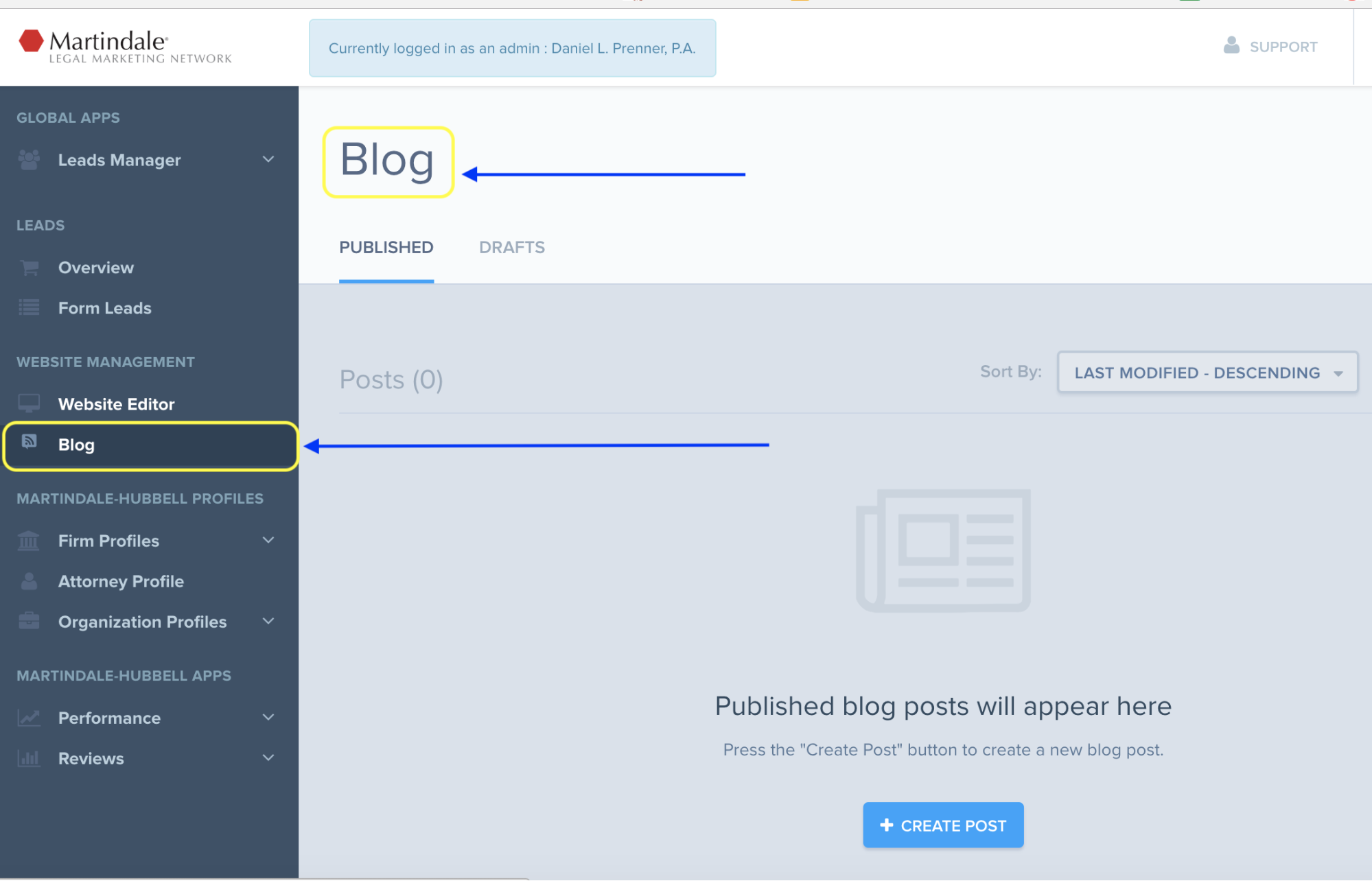
To Access the Blogs click on the tab to the left.
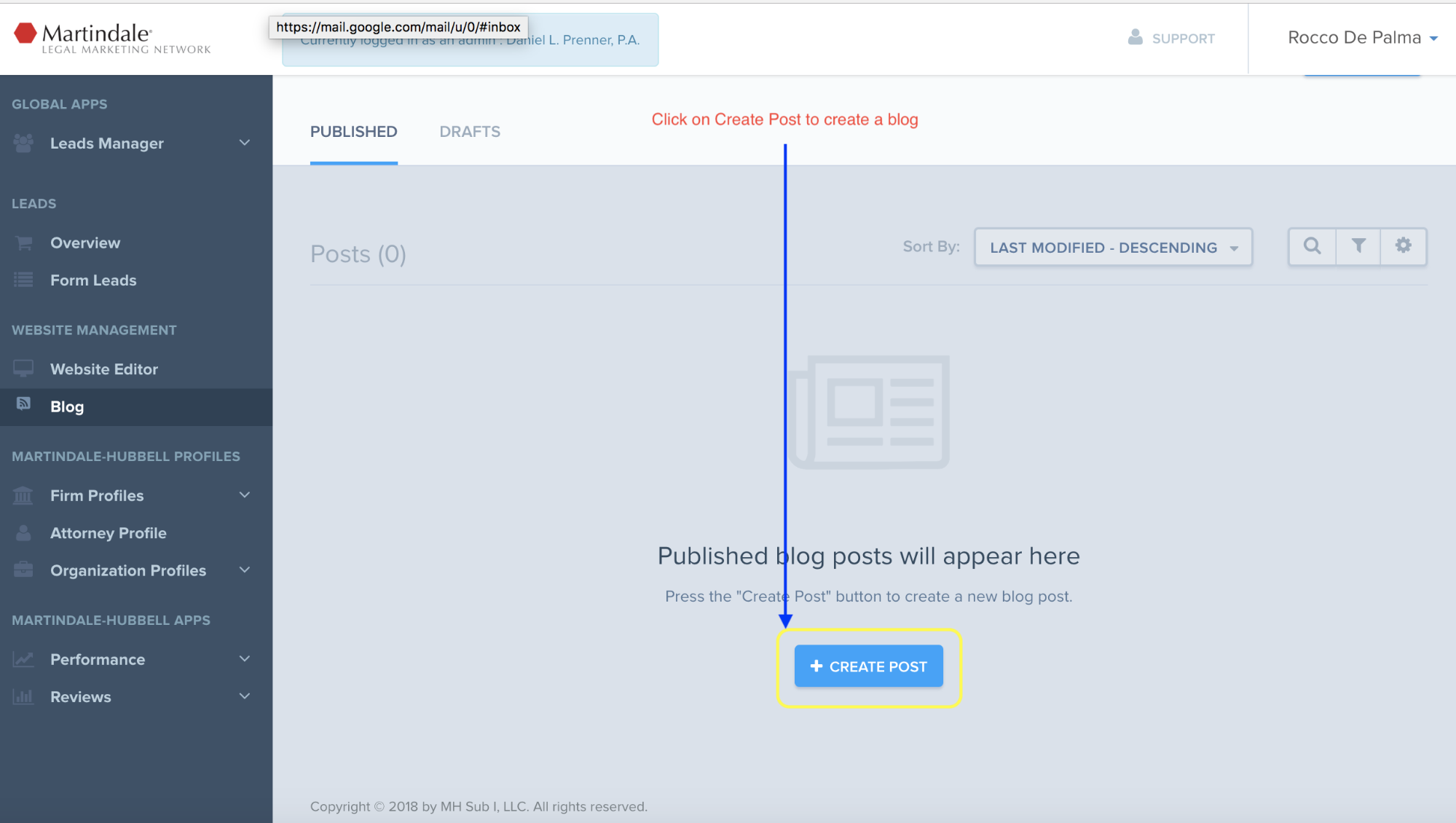
Click on Create Post to add a blog
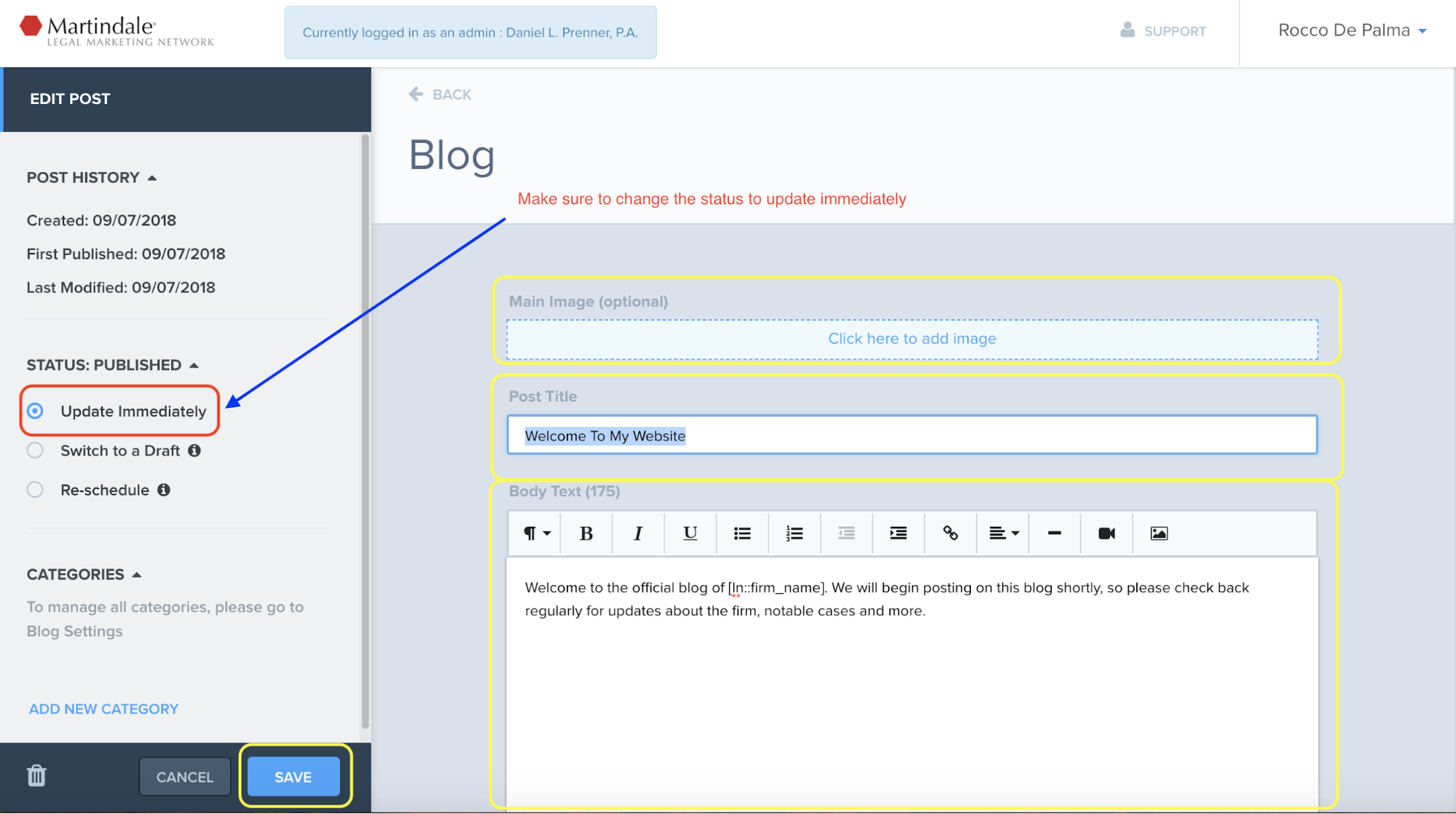
Add an Image (If needed), Post Title and Body Text….
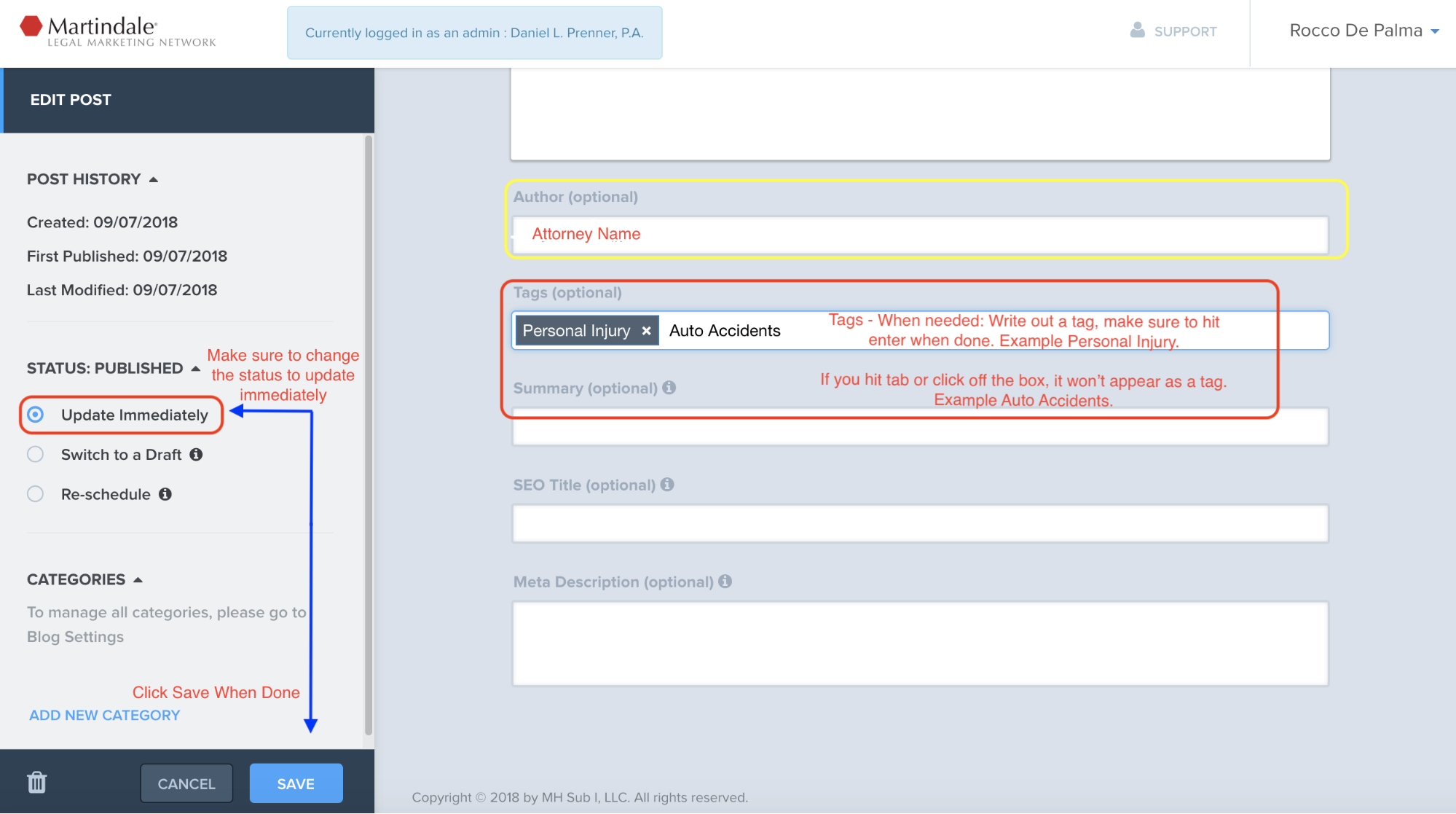
Add an Author and Tag (Optional). When you write out a Tag make sure to hit enter when done. If you hit tab or click away the text won’t appear as a Tag. See below as an example.
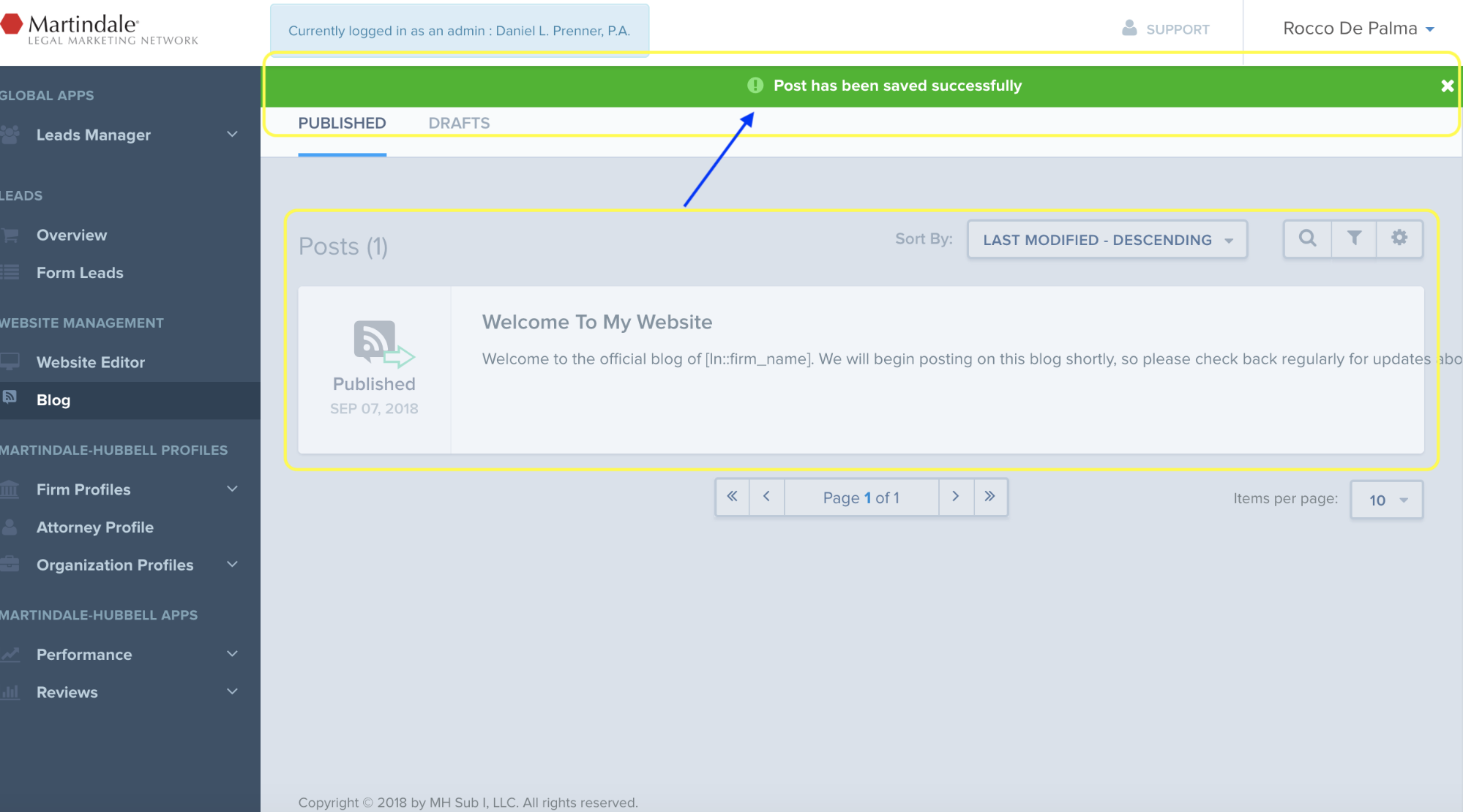
Very Important, make sure to change the status to update immediately and click save when done. Use Status options to also select “Switch to a Draft” or “Re-schedule” as needed.
You’ve created a blog post.
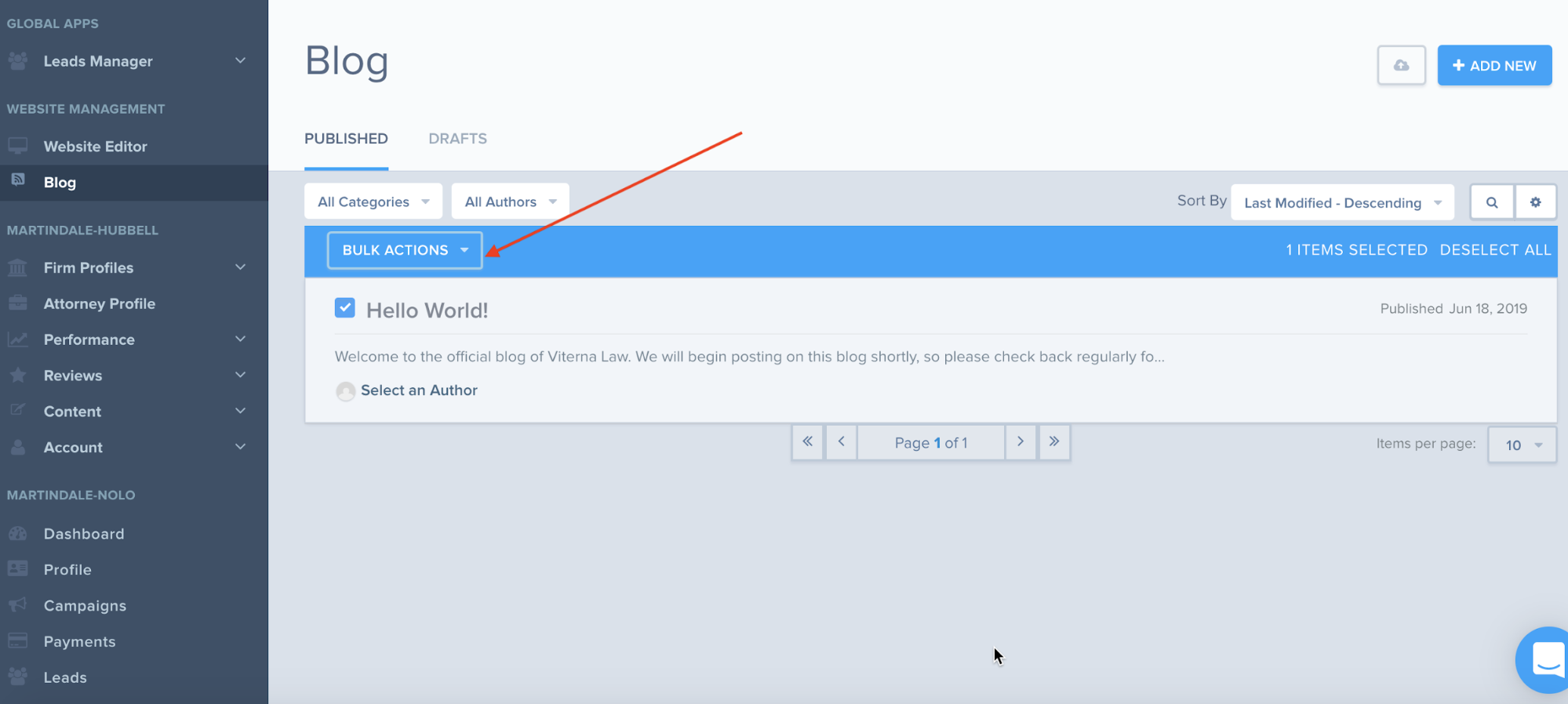
You have the option to select Bulk Actions.
Select what you need changed for your blogs.
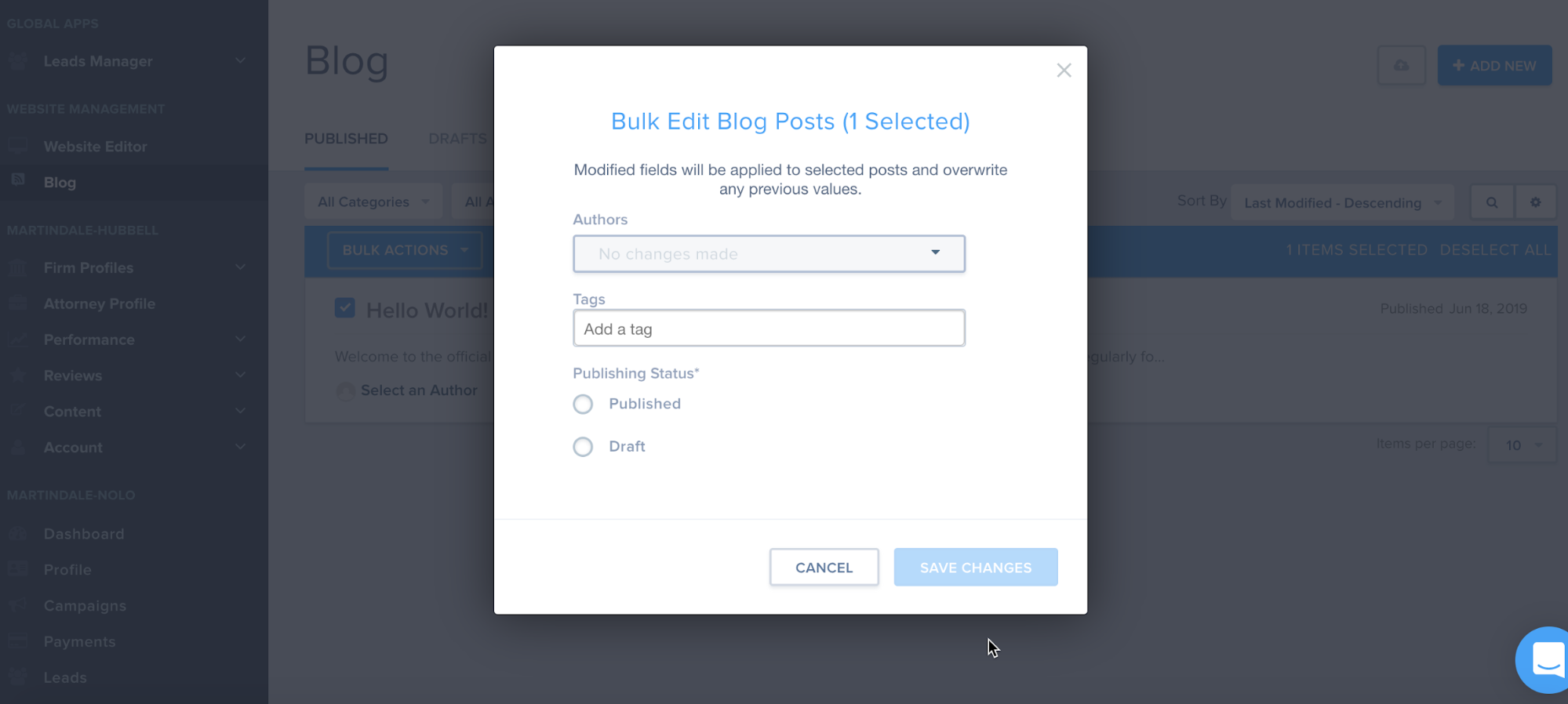
Click Save Changes


